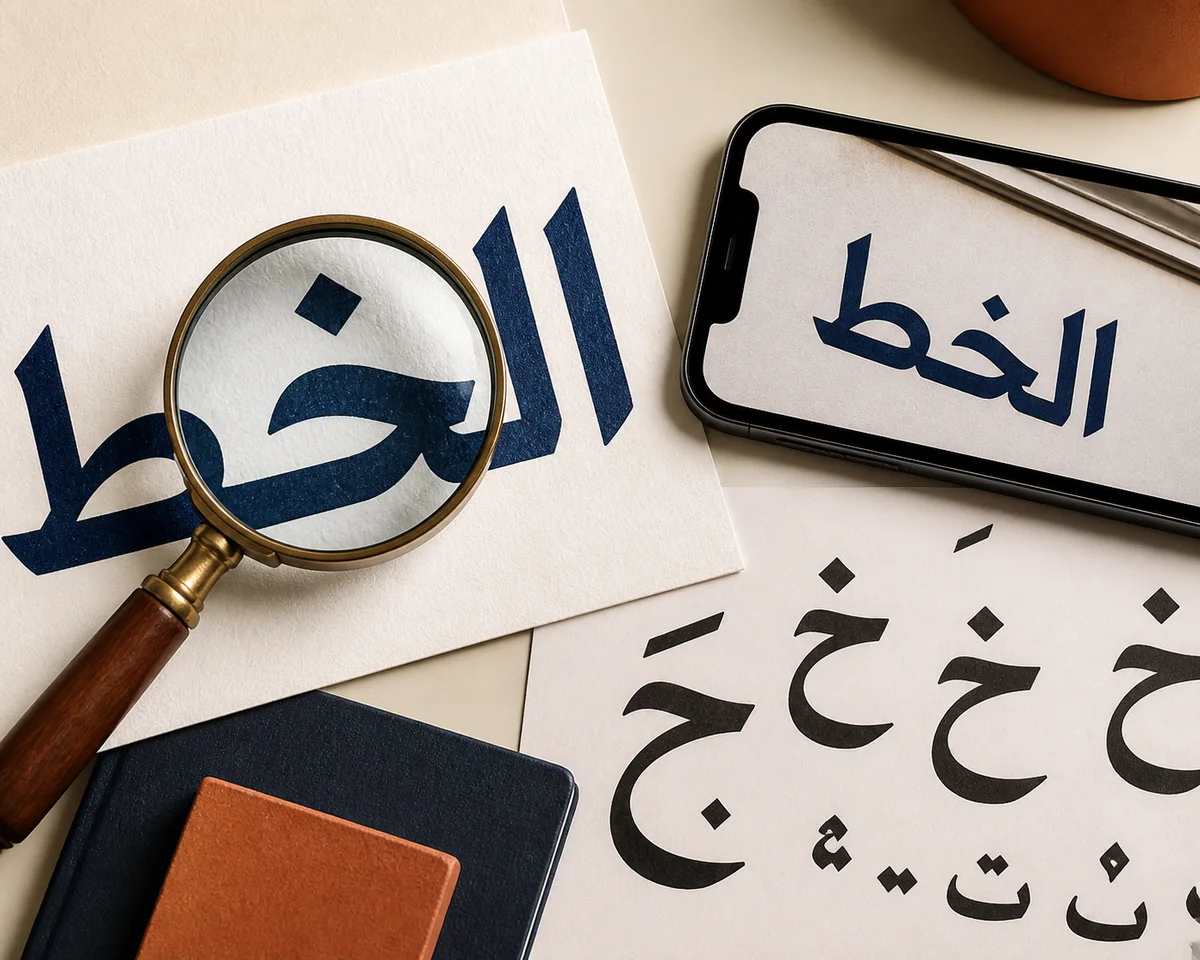
Upload a clear Arabic word, logo, poster, sign, book scan, or screenshot to find likely fonts and useful alternatives. This Arabic font detector focuses on visible letterforms, connected shapes, dots, and diacritics; it gives you a practical shortlist rather than an unsupported promise of an exact match.
Upload an Arabic Font Sample
Drop an Arabic screenshot, crop, logo, or scan, or choose an image file
Finding Arabic Font Match...
Analyzing the Arabic Letterforms...
Please wait while we compare the visible script, joins, dots, weight, and spacing
Finding Arabic Font Match...
Reading the clearest Arabic text
Comparing connected forms and glyph details
Finding likely fonts and close alternatives
Review the likely font name, category, and confidence, then verify the Arabic glyphs in the exact word from your image.
0
Arabic Font Detector Result
Primary Match:--
Font Category:--
Confidence:--
Match Confidence--
Confidence Level--
Arabic Letterform Clues
Similar Fonts to Compare
Verification Notes
Arabic Samples That Give a Font Detector Better Evidence
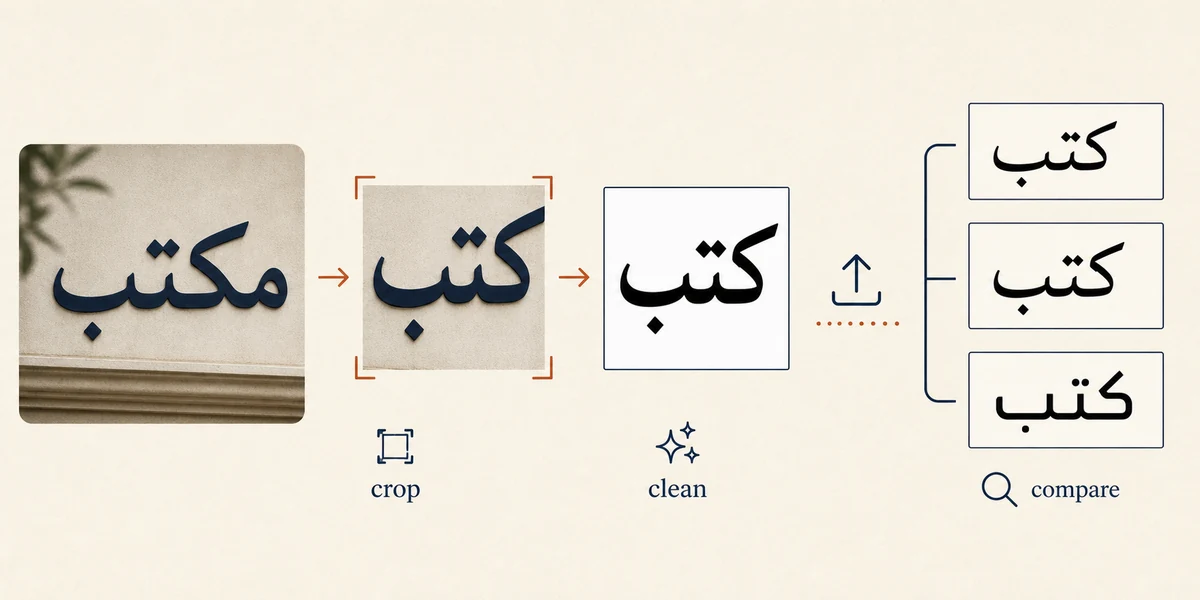
A useful crop shows the script clearly. Keep dots, joins, diacritics, and the original proportions visible instead of uploading a busy full design.
How to Use the Arabic Font Detector
Step 1
Crop One Clear Arabic Word or Line
Choose a sample with enough connected letters to show the rhythm of the typeface. A short word or line is usually better than a full poster with icons, borders, English text, and textured backgrounds. Keep a small margin around every dot and mark.
Step 2
Keep Dots, Joins, and Diacritics Visible
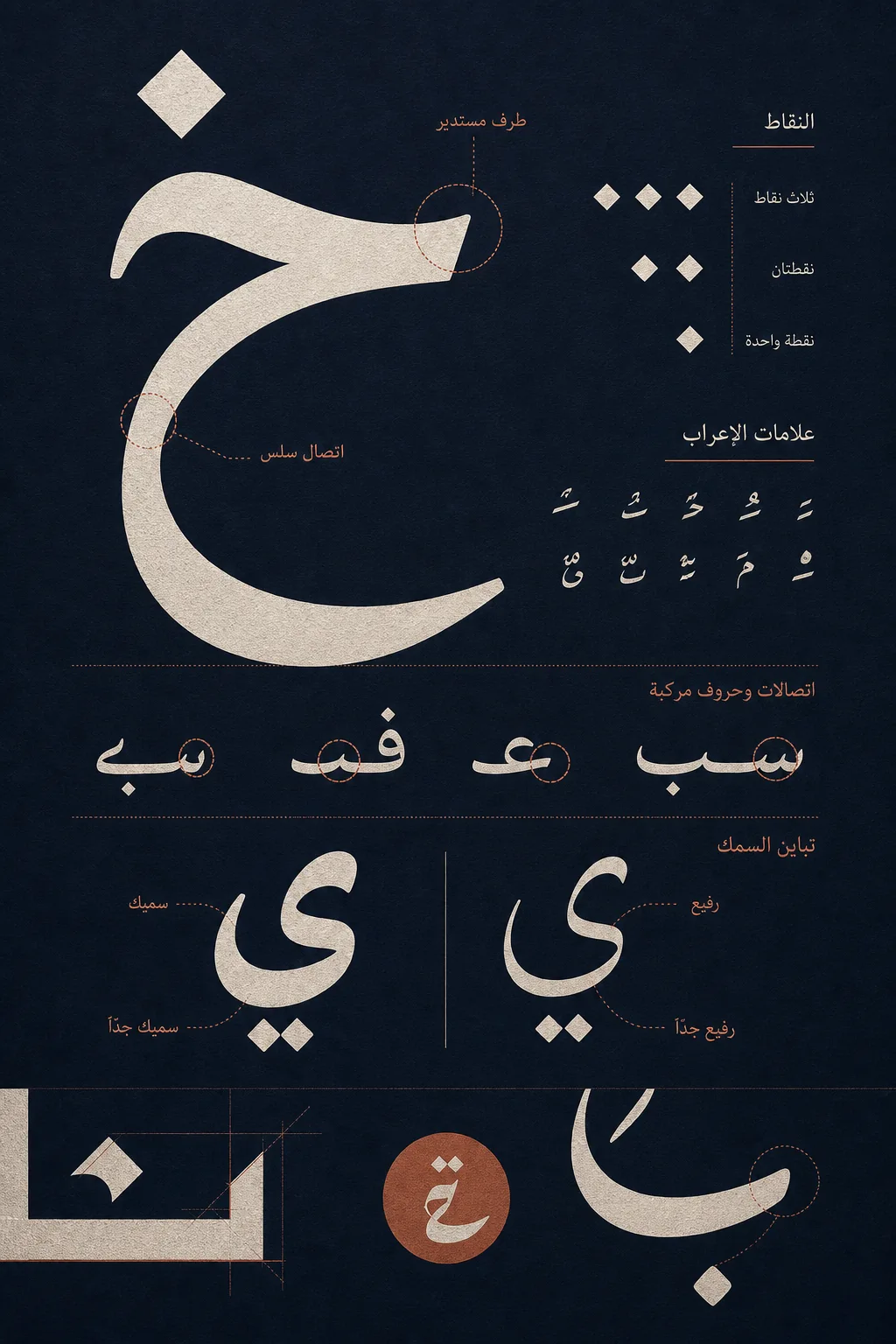
Arabic characters can change shape at the beginning, middle, and end of a word. Do not crop away the dots, joining strokes, or vowel marks that distinguish one design from another. If the source is angled, correct it gently without stretching the letters.
Step 3
Upload the Image and Review the Shortlist
Upload the clean crop and let the image font detector inspect the visible shapes. Review the primary match, font category, confidence, and any suggested alternatives. The tool analyzes typography in the image; it does not translate the Arabic sentence.
Step 4
Verify the Match in the Exact Arabic Word
Test the leading font candidates with the same word from your image. Compare dot shape, contextual joins, stroke contrast, terminals, width, and spacing. If the lettering is a custom logo, treat the result as a source-family clue rather than proof of the original drawing.
When an Arabic Font Finder from Image Is Useful
The tool is designed for flattened visual samples where the original text layer or font menu is unavailable.
Arabic Logos and Wordmarks
Start with a clean crop of the wordmark. Logos often modify spacing or individual letters, so the detector can help identify a close source family before you compare the shapes manually.
Social Posts and Phone Screenshots
If you saved Arabic typography from a social post, mobile page, or design preview, upload the clearest crop instead of trying to guess the font from a small thumbnail.
Scans, Menus, and Printed Signs
A high-resolution scan or front-facing sign can reveal the family’s stroke contrast, baseline movement, and dot design. Remove shadows and unrelated objects when preparing the crop.
Typography Research and Alternatives
Use the shortlist to compare readable Arabic alternatives for a mockup or brand study. Always confirm that the chosen family contains the glyphs and weights your project needs.
Arabic Font Detector vs Manual Checking
Use the fastest workflow for the evidence you have. Image detection narrows the search; manual checking confirms whether the letters really match.
Image-first
Arabic Font Detector
Upload a visual sample to get a likely font, category, confidence, and possible alternatives. It is the practical first step when you only have a screenshot, logo, scan, or photo.
Works from a flattened image
Keeps the search focused on Arabic letterforms
Useful for shortlisting similar typefaces
No source file or font menu is required
Best for: screenshots, logos, signs, scans, and design references
Verification
Manual Glyph Comparison
Paste the exact Arabic word into candidate fonts and inspect dots, contextual forms, diacritics, terminals, and spacing. This is slower but important when the sample is a logo or display treatment.
Checks the exact word and weight
Reveals custom edits and spacing changes
Useful when two families look similar
Helps confirm Arabic glyph coverage
Best for: final confirmation and custom lettering
Source available
Editable Text or CSS Inspection
If you still have the editable document or live HTML, inspect the text layer or rendered font first. That direct source information is more reliable than image matching when it is available.
Can reveal the exact selected font
Avoids image compression artifacts
Useful for live website text
Still needs Arabic glyph and license checks
Best for: editable files and live web pages
Turn an Arabic Font Match into a Usable Choice
A font name is only the beginning. Confirm the visible glyphs, technical coverage, and license before using the result in a real design.
Compare
Test the exact Arabic word in the leading candidates
Check dots, joins, diacritics, stroke contrast, width, and spacing at the same size and weight. A familiar name is not automatically the closest match.
Check the Arabic glyph set before choosing a family
Make sure the font supports the characters, marks, weights, and software workflow you need. A Latin-only family or incomplete Arabic subset will not be a practical replacement.
Use the preparation guide when the sample is difficult
If the result is uncertain, improve the crop and compare another word from the same image. The guide explains why dots, connected forms, and diacritics matter.
Keep the Arabic Letterforms, Not the Background Noise
A strong Arabic font detector needs to see the shapes that carry typographic information. Crop around one word or line, remove decorative backgrounds, and keep the original proportions. If the image contains several scripts or font styles, analyze separate crops so the result is easier to interpret.
Use Dots and Contextual Joins as Practical Clues
Dots, diacritics, and the way a letter enters or leaves a connection can separate similar Arabic families. Compare the same word across candidates instead of relying only on the overall mood. These clues are especially valuable when the image has compression or a decorative treatment.
Get a Useful Shortlist Even When the Exact Font Is Custom
Arabic logos and headlines are often modified after a typeface is chosen. A practical result may be the closest family or a readable alternative rather than a guaranteed original font name. Use the match to accelerate research, then verify the visible letters and the license separately.
Treat Identification and Licensing as Separate Steps
Finding a likely font does not grant permission to use it. Before a commercial logo, app, publication, or client design, check the foundry or library for Arabic character coverage, permitted uses, weights, and the license terms that apply to your project.
Arabic Font Detector FAQ
Can I find an Arabic font from an image?
Yes. Upload a clear Arabic word or line, keep the dots and diacritics visible, and review the likely match and alternatives. Treat the result as a shortlist that still needs visual verification, especially for logos and custom lettering.
What is the best Arabic font detector from image workflow?
Use a high-resolution, front-facing crop with one font style. Preserve connected forms and marks, upload the image, compare the returned candidates with the exact Arabic word, and then check glyph coverage and licensing.
Why does the Arabic font finder show similar fonts instead of one answer?
Many Arabic typefaces share related structures, while screenshots can include blur, shadows, perspective, compression, or missing marks. Custom wordmarks may also redraw individual letters. A ranked shortlist is more realistic than a universal exact answer.
Can I identify an Arabic font from a logo or sign?
Often you can find a close source family, but logo lettering may be edited or hand-adjusted. Crop the clearest word, keep all dots, and compare the unusual terminals, joins, spacing, and stroke contrast manually.
What if my Arabic font detector result is uncertain?
Try a larger source or another word from the same design. Clean the background without redrawing the letters, keep the original image for comparison, and use a font matcher or glyph viewer for a second check.
Does identifying an Arabic font give me permission to use it?
No. Identification and licensing are separate. Verify the foundry or library terms, Arabic glyph coverage, available weights, and permitted commercial use before using a font in a final design.