
Table of Contents
Why Logo Fonts Are Harder to Identify Than Normal Text
A logo font finder has a different job from a normal font identifier. Logos often use custom lettering, modified spacing, outlined strokes, shadows, gradients, or a symbol placed inside the wordmark. Those details can hide the original font structure and make a one-click answer less reliable.
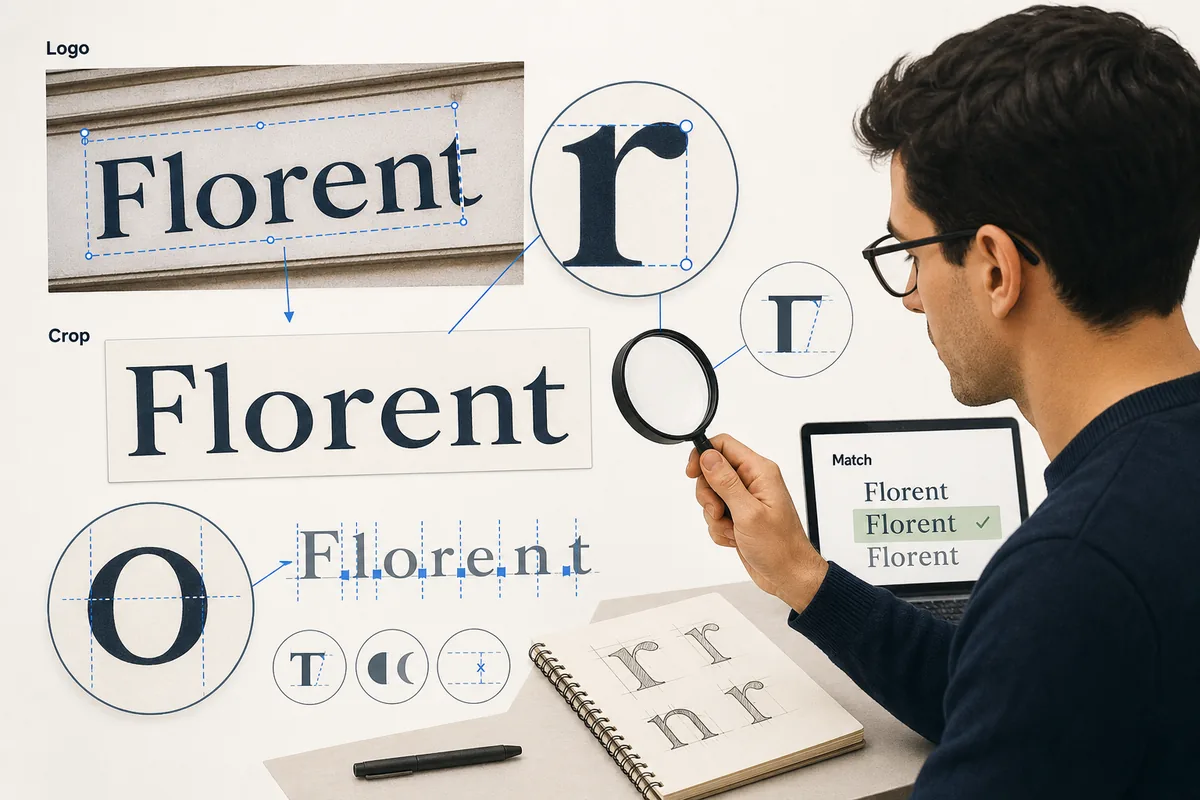
The best workflow is evidence-based. Instead of asking whether the logo feels modern, luxury, playful, or bold, look at the actual letterforms. The lowercase a, g, e, uppercase R, S, numerals, terminals, x-height, and spacing tell you whether the logo started from a geometric sans, humanist sans, serif, script, slab, or display family.
A good result is not always the exact original font. Many famous logos are custom-drawn or heavily modified. In those cases, your goal is to find the closest usable typeface for a mockup, redesign, presentation, or brand research note, while keeping licensing and originality in mind.
Best mindset
Treat the detector result as a shortlist, then verify it manually. Logo matching is strongest when AI suggestions and letterform comparison agree.
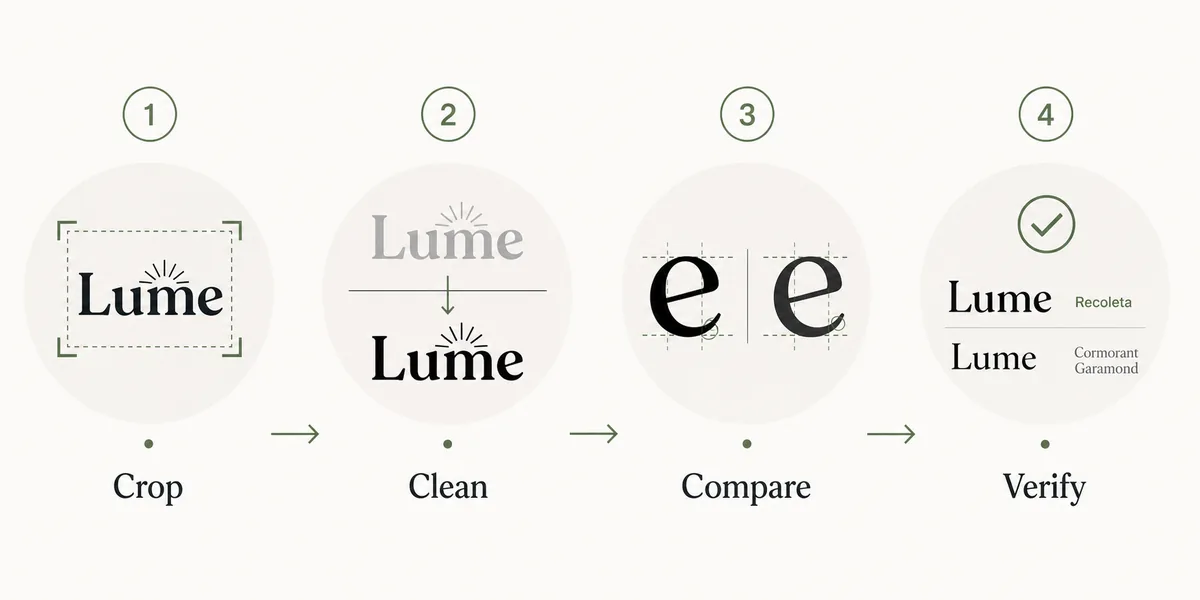
The 6-Step Workflow to Find a Font from a Logo
Use this process when the source is a logo screenshot, product photo, packaging label, storefront sign, app icon, or flattened brand mockup.
- Start with the cleanest version of the logo. Prefer a flat PNG or screenshot over a tilted photo when possible.
- Crop tightly around the wordmark. Leave a small margin, but remove icons, taglines, backgrounds, borders, and unrelated text.
- Improve contrast without changing the letter shapes. A black-on-white crop usually works better than colored, shadowed, or textured text.
- Upload the crop to Font Detector and save the top matches, similar-font suggestions, and confidence clues instead of trusting only the first name.
- Compare the candidate fonts against the logo using the same word, weight, and approximate spacing. Check distinctive letters before judging the overall mood.
- Decide whether you need an exact commercial font, a free alternative, or a close visual substitute for a design draft.
How to Judge Whether the Logo Font Match Is Good Enough
Logo typography is judged at a larger visual size than body text, so small differences are easier to notice. Use this checklist before you present a match to a client or use it in a redesign.
| Signal | What to check | Why it matters |
|---|---|---|
| Distinctive letters | Compare a, g, e, R, S, ampersands, and numerals. | These shapes reveal whether two fonts share the same skeleton. |
| Width and spacing | Test the exact logo word with similar tracking. | A font can look close in samples but fail when the brand name is set. |
| Stroke behavior | Look for contrast, rounded terminals, ink traps, flares, and serif shape. | Logo fonts often rely on stroke details more than ordinary UI text. |
| Weight range | Check whether the family has the bold, italic, or variable weight you need. | A visual match is less useful if it cannot reproduce the logo's weight. |
| License fit | Confirm whether the font is free, commercial, or only a visual reference. | Identifying a font does not grant usage rights for a brand project. |
What If the Logo Uses Custom Lettering?
Custom logo lettering is common. Designers may start from a font, then redraw terminals, join letters, alter the dot on i, change the crossbar on A, or adjust kerning until the wordmark becomes unique. A detector may still identify the source family, but the live font will not perfectly recreate the logo.
When that happens, separate the decision into three levels. Use exact matches for archival research or brand compliance. Use close commercial matches when a paid font is acceptable. Use free alternatives only when the project needs a practical placeholder or visual direction rather than a brand replacement.
If the logo belongs to another company, avoid recreating it for confusing or infringing uses. Font identification is useful for study, compatibility, and design research, but brand marks may have trademark protection beyond the font license.
Best Tools for Logo Font Identification
No single tool solves every logo. Combine image detection, live website checks, and manual typography comparison.
- Font Detector: Use it first for logo screenshots, product photos, packaging crops, and other image-based wordmarks.
- Browser DevTools: Use it when the logo text is live HTML on a website rather than a flattened image.
- Google Fonts: Use it to find free alternatives after you know the logo's category, width, weight, and letterform traits.
- Adobe Fonts or MyFonts: Use commercial libraries when the logo appears to be based on a premium display, script, or brand typeface.
Common Mistakes When Matching Logo Fonts
Uploading the whole logo lockup
Icons, taglines, badges, and background textures add noise. Crop to one word or one short line whenever possible.
Judging by mood alone
Modern, premium, friendly, and tech are useful brand words, but they are not enough. Verify the skeleton and spacing.
Ignoring modifications
A logo may start from a font but include custom cuts or altered letters. Do not promise an exact font when the visible letters are clearly modified.
Forgetting licensing
A detected font name is not a download permission. Always check the official foundry or library before commercial use.
Frequently Asked Questions
References and useful sources
Last updated: June 24, 2026
Back to Font Detector