

Best font finder from image: a practical comparison
If you have a screenshot, logo, scan, or flattened design, the best font finder from image is one that returns useful candidates for that source. A result list is a starting point, not proof of the exact family, especially when lettering is edited or hand-drawn.
This feature comparison uses the services' own product or help pages; it is not an accuracy ranking. We did not upload and score a controlled image set. Access and account terms can change, so check each first-party page before relying on a specific option.
| Service | Useful starting point | What to compare | Check before relying on it |
|---|---|---|---|
| Font Detector | A quick second opinion for a screenshot, logo, or other image | Upload an image to see likely font suggestions | Published by this site; this article does not claim independently measured accuracy. |
| Adobe Fonts Visual Search | A shortlist when you want to explore Adobe Fonts | Adobe Help documents image-based visual search and candidate results | The catalog is specific to Adobe Fonts; check current access and licensing terms. |
| Fontspring Matcherator | A typography-focused image search across Fontspring's catalog | The service page describes uploading an image to search | Its catalog includes free and paid fonts; confirm the individual font terms. |
| Creative Market Font Finder | Another image-search route in a font marketplace | Its product page describes finding a font from an image | Check current availability, result details, and the terms on the first-party page. |
This is a feature and workflow comparison based on first-party product information reviewed November 16, 2026. It is not a controlled test of match accuracy, pricing, privacy, or catalog size.
What “free” means for an image font finder
A free font finder and a free font are different things. A service may let you submit a sample or browse candidates, while the identified family may be commercial or limited to certain uses. A search result is not a license or permission to distribute font files.
Separate access to the finder from the rights you need for a logo, website, app, or client file. If you want a no-cost replacement, check that family's own license; do not infer usage rights from a free search or a similar name. A free result may still lead to a paid family, while a similar alternative is a different design with its own terms. Note the source of each candidate so you can revisit the same specimen and license later.
Which image font finder fits your source?
The services overlap, but their catalogs and next steps differ. Choose based on what you need to do after the match, not on a broad promise of being the most accurate. The first-party descriptions below explain each service's stated role; they do not establish that one service performs better on every script, image quality, or type style.
Font Detector for a quick second opinion
Font Detector accepts an image and returns likely font suggestions, making it a practical first pass for a cropped headline, graphic, or logo. This site operates the service, so it is included with that relationship disclosed; this comparison makes no accuracy claim. For a live website or editable file, inspect its CSS or source first.
Adobe Fonts Visual Search for an Adobe catalog
Adobe documents image-based Visual Search and candidate results, making it a natural start when you want to explore Adobe Fonts. Confirm the current workflow and terms on Adobe's page; a candidate is not proof of the source font or a license for every use.
Fontspring Matcherator for catalog-led matching
Fontspring describes Matcherator as an image-based identifier that searches its catalog, which includes free and paid fonts. Its accuracy language is a vendor claim, not an independent result. Compare a candidate's specimen and check its individual license.
Creative Market Font Finder as another marketplace route
Creative Market presents Font Finder as image-based discovery within its marketplace. Check its product page for current access and result details; a marketplace result is not a complete survey of other catalogs. Review the candidate's license before use.
Compare image font finders with one sample
For a fair comparison, choose one readable crop and keep it unchanged across services. Remove unrelated surroundings without trimming letters, then note effects or noise that may affect every result.
- Choose a representative word: Use several readable characters; one common letter may not distinguish families.
- Make one clean crop: Keep full letter edges and avoid icons or neighboring copy.
- Use the identical image: Submit the same file and note each service's stated requirements.
- Record the shortlist: Save candidate names plus any shown style or weight.
- Check the candidates: Compare glyphs and spacing in specimens; leave the answer open if none fits.
Verify a likely font match before using it
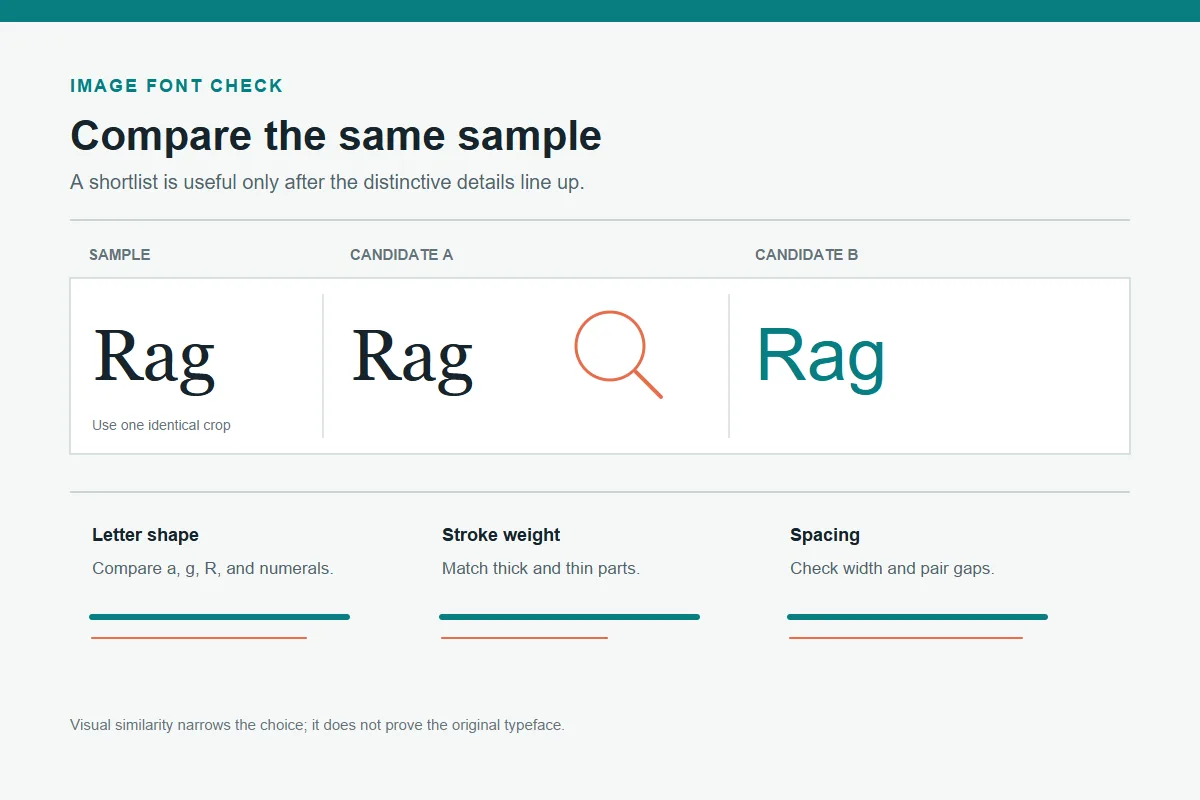
A convincing family name can still have the wrong glyphs. Compare the same word at a similar size and weight, checking distinctive forms such as a, g, R, and e, plus terminals, proportions, and spacing. A serif with the wrong width or a sans serif with a different lowercase a may be a near match, not the source.
If the crop is small, compressed, or stylized, keep the result provisional. The chart is an editorial illustration, not a screenshot from a listed service.
- Compare the same word or character set in each specimen.
- Check the required weight, width, italic, and language coverage separately from the family name.
- Test a close alternative in the real layout to catch line-break and spacing changes.
- Keep uncertainty visible when the original is custom lettering or heavily altered.
Uploads, privacy, and font licensing
A crop can still reveal a client mockup, names, or unreleased branding. Remove unrelated details and read the service's current privacy and retention terms before uploading; this comparison makes no blanket claim about provider storage.
For confidential work, use an approved workflow or inspect editable source and local font metadata. If upload handling is unclear, do not share the asset.
A free match does not grant font rights
Check the font creator or authorized distributor for the license covering your actual use, such as a logo, web embedding, app, or client file. A free download may have restrictions; a paid license may be limited. Verify a replacement's terms separately.
Choose by your next step, not an accuracy label
Choose Font Detector for a quick image-based shortlist, Adobe Visual Search for Adobe's catalog, or Matcherator and Creative Market for their marketplace paths. If the source is editable or live on a website, inspect its document or CSS first; direct font metadata is stronger evidence than an image guess.
The related guides below cover the broader “what font is this” task, Google Fonts alternatives, and Adobe workflows. The best font finder from image is a first step, not a final authority: compare one sample, inspect distinctive letters, and verify style and license.
Frequently asked questions
First-party product information reviewed
Last updated: November 16, 2026
Try Font Detector with an image